
A website is often the first interaction people have with your business. Visitors expect pages to load quickly, work flawlessly on every device, and provide a secure browsing experience. Search engines and AI-powered search platforms also prioritize websites that deliver excellent user experiences.
This guide brings together the most important principles for building a modern WordPress website that is fast, secure, search engine optimized, and ready for AI-driven search experiences. Whether you’re creating a business website, eCommerce store, blog, or portfolio, these best practices will help you build a website designed for long-term success.
Table of Contents
- Why Website Performance Matters
- Choosing the Right Hosting
- Selecting the Best WordPress Theme
- Essential Plugins
- Performance Optimization
- Core Web Vitals
- Technical SEO
- Website Security
- Image Optimization
- Caching Strategies
- Content Optimization
- AI & GEO Optimization
- Website Maintenance
- Frequently Asked Questions
- Final Thoughts
Why Website Performance Matters
Website performance directly affects user satisfaction, search visibility, and business results. A slow website can increase bounce rates, reduce conversions, and negatively impact search rankings. Visitors expect websites to load in just a few seconds, regardless of the device or network they’re using.
A high-performance WordPress website provides benefits such as:
- Faster page loading
- Improved user experience
- Higher search engine rankings
- Better Core Web Vitals scores
- Lower server resource usage
- Higher conversion rates
- Improved accessibility
Performance should not be viewed as an afterthought. It should be part of every stage of website planning, development, deployment, and ongoing maintenance.
Choosing the Right Hosting
Your hosting environment forms the foundation of your website’s performance. Even a perfectly optimized website will struggle if hosted on slow or overloaded servers.
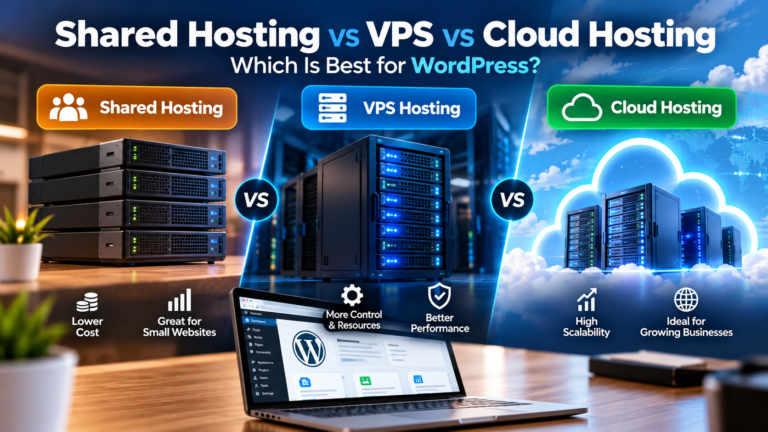
Shared Hosting
Suitable for small personal websites and beginner projects. While affordable, shared hosting often shares CPU, memory, and storage resources with many other websites.
Virtual Private Server (VPS)
A VPS provides dedicated resources, greater flexibility, and improved performance compared to shared hosting.
Cloud Hosting
Cloud platforms such as Amazon Web Services (AWS), Google Cloud Platform (GCP), and Microsoft Azure offer scalable infrastructure capable of handling websites with growing traffic.
Cloud hosting is ideal for businesses that require:
- High availability
- Scalability
- Automatic backups
- Load balancing
- Global CDN integration
Selecting the Right WordPress Theme
A lightweight theme significantly contributes to website speed. Avoid themes overloaded with unnecessary animations, bundled plugins, and complex page builders that add unnecessary CSS and JavaScript.
Choose themes that prioritize:
- Clean code
- Accessibility
- Responsive layouts
- SEO-friendly markup
- Minimal dependencies
Install Only Essential Plugins
Every plugin adds additional code to your website. Installing too many plugins can increase server load, introduce security risks, and reduce performance.
Instead of counting plugins, evaluate their quality.
Look for plugins that are:
- Actively maintained
- Regularly updated
- Well documented
- Compatible with your WordPress version
- Widely trusted by the community
Optimize Website Performance
Website optimization is a combination of server configuration, front-end optimization, and content optimization.
Performance Checklist
- Enable caching
- Compress images
- Minify CSS
- Minify JavaScript
- Enable GZIP or Brotli compression
- Reduce HTTP requests
- Use a Content Delivery Network (CDN)
- Optimize fonts
- Remove unused plugins
- Optimize the database
Understanding Core Web Vitals
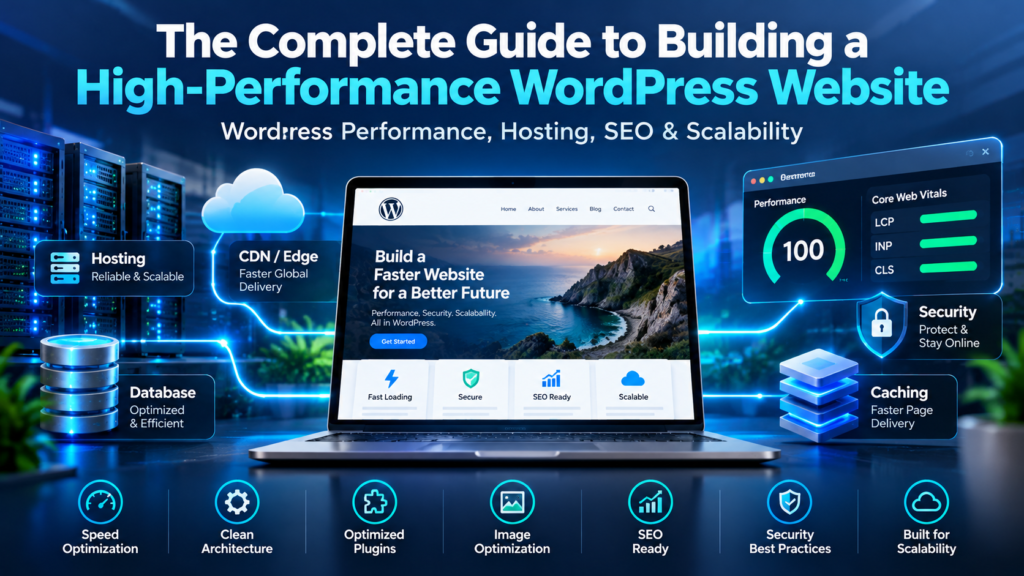
Core Web Vitals are Google’s user experience metrics that measure how quickly users can interact with your website.
| Metric | Purpose |
|---|---|
| Largest Contentful Paint (LCP) | Measures loading speed |
| Interaction to Next Paint (INP) | Measures responsiveness |
| Cumulative Layout Shift (CLS) | Measures visual stability |
Improving these metrics often leads to a better experience for both users and search engines.
Technical SEO Best Practices
Technical SEO ensures search engines can properly crawl, understand, and index your website.
Checklist
- Use descriptive URLs
- Create XML sitemap
- Configure robots.txt
- Implement canonical URLs
- Use structured data
- Fix broken links
- Optimize internal linking
- Enable HTTPS
Website Security
Website security protects your visitors and preserves your search engine reputation.
Recommended security practices include:
- Use SSL certificates
- Enable two-factor authentication
- Limit login attempts
- Perform regular backups
- Keep plugins updated
- Use a web application firewall
- Monitor suspicious activity
Image Optimization
Images often account for the majority of a webpage’s size.
Recommended image formats:
- WebP
- AVIF
- Optimized JPEG
- Optimized PNG
Additional recommendations:
- Resize images before uploading
- Use lazy loading
- Compress images
- Serve responsive image sizes
Caching Strategies
Caching reduces server processing time and delivers pages much faster.
Common cache layers include:
- Browser Cache
- Page Cache
- Object Cache
- Database Cache
- CDN Cache
Content Optimization
High-performing websites also publish high-quality content.
Every page should answer user intent while remaining easy to understand.
- Clear headings
- Short paragraphs
- Helpful examples
- Original insights
- Internal links
- Helpful images
- Frequently Asked Questions
Optimizing for AI Search (GEO)
Search is evolving beyond traditional search engines. AI assistants increasingly answer questions by synthesizing information from trusted sources. Structuring your content clearly improves its chances of being understood and referenced.
To make content more AI-friendly:
- Answer questions directly.
- Use descriptive headings.
- Define technical terms before discussing them in detail.
- Include practical examples and step-by-step instructions.
- Demonstrate first-hand experience where applicable.
- Support claims with measurable outcomes when possible.
- Maintain consistent terminology throughout the article.
- Add FAQ sections that address common user questions.
Content that is organized, factual, and experience-based is more useful to both readers and AI systems.
Website Maintenance
A high-performance website requires ongoing maintenance to remain secure and efficient.
- Update WordPress core regularly.
- Review plugin and theme updates.
- Monitor uptime and performance.
- Audit website security.
- Back up your website before major changes.
- Review analytics and search performance.
- Check for broken links and outdated content.
- Revisit Core Web Vitals after significant updates.
Frequently Asked Questions
How fast should a WordPress website load?
Aim for a page load time of under three seconds. Faster websites generally provide a better user experience and often perform better in search results.
Does website speed affect SEO?
Yes. Performance influences user experience, and metrics such as Core Web Vitals are part of Google’s evaluation of page quality.
Is a CDN necessary?
A CDN is not mandatory for every website, but it can significantly improve performance for visitors in different geographic regions.
How often should WordPress be updated?
Review updates regularly and apply them after appropriate testing. Keeping WordPress, plugins, and themes current helps improve security and compatibility.
Final Thoughts
Building a high-performance WordPress website is not about applying a single optimization technique. It requires thoughtful decisions across hosting, development, security, performance, technical SEO, and ongoing maintenance.
By focusing on user experience, maintaining high technical standards, and publishing valuable content, you can create a website that performs well in traditional search engines while remaining understandable and useful for AI-powered search platforms.
About the Author
Ian Necor is a WordPress developer specializing in Technical SEO, website performance optimization, AWS cloud hosting, API integrations, and AI-ready web development. He shares practical strategies based on real-world implementations to help businesses build faster, more secure, and search-friendly websites.