
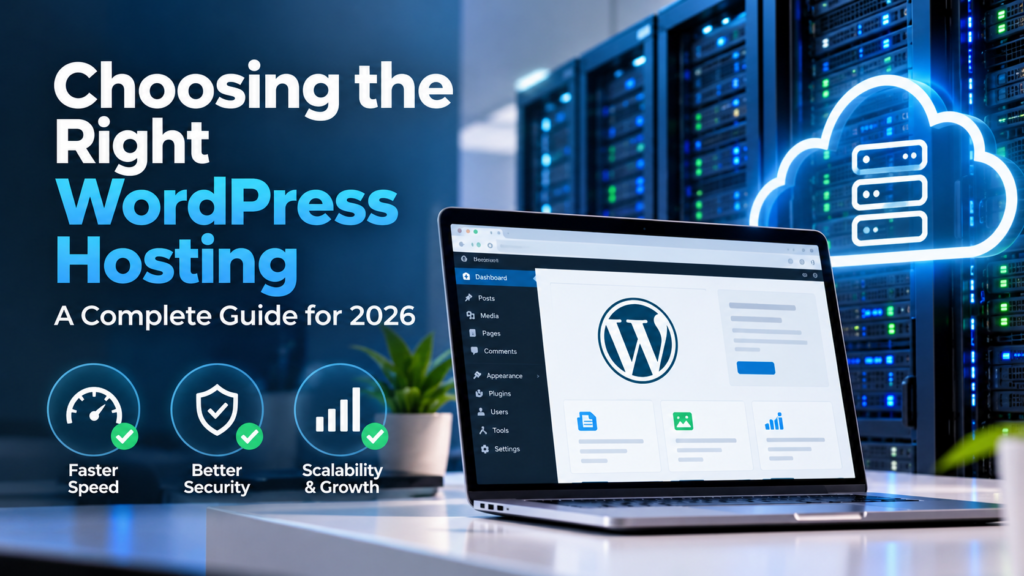
Choosing the right WordPress hosting is one of the most important decisions you can make when building a fast, secure, and reliable website. Your hosting environment affects website speed, uptime, security, scalability, Core Web Vitals, and ultimately the experience your visitors receive.
A beautifully designed WordPress website can still perform poorly if it is hosted on an overloaded or poorly configured server. Conversely, a properly configured hosting environment can provide the foundation for excellent performance, strong technical SEO, and long-term website growth.
This guide explains what to look for when choosing WordPress hosting in 2026, the different types of hosting available, and how to determine which hosting environment is appropriate for your website.
Why WordPress Hosting Matters
WordPress itself is a powerful content management system, but the performance of a WordPress website depends heavily on the infrastructure supporting it.
Your hosting provider is responsible for providing the server environment where your WordPress installation, database, images, themes, plugins, and other website resources are stored and processed.
A quality hosting environment can help your website achieve:
- Faster page loading
- Better server response times
- Higher uptime and reliability
- Improved Core Web Vitals
- Better security
- Greater scalability
- More reliable backups
- Improved user experience
- Stronger technical SEO foundations
For businesses that rely on their website for leads, enquiries, bookings, or sales, hosting should be treated as part of the overall business infrastructure rather than simply a monthly website expense.
What Makes Good WordPress Hosting?
The best WordPress hosting is not necessarily the hosting package with the most features or the lowest price. The right solution depends on your website’s traffic, functionality, performance requirements, security needs, and expected growth.
When evaluating a hosting provider, consider the following factors.
1. Server Performance
Server performance has a direct impact on how quickly WordPress can generate and deliver pages to visitors.
Look for modern server infrastructure, fast storage, sufficient CPU resources, adequate memory, and efficient database performance.
For business websites and high-traffic WordPress installations, avoid hosting environments where hundreds or thousands of unrelated websites compete heavily for the same limited server resources.
2. Server Response Time
A visitor’s experience begins before the webpage itself has finished loading. The server must first respond to the browser’s request before the browser can retrieve the page resources.
A slow server response can therefore affect overall loading performance even when your website’s images, CSS, and JavaScript have been optimized.
When comparing hosting providers, pay particular attention to server response time and Time to First Byte (TTFB).
3. SSD or NVMe Storage
Modern solid-state storage provides significantly faster access to website files and databases than traditional mechanical hard drives.
NVMe storage can provide even higher performance and is particularly useful for websites with database-heavy workloads or large amounts of dynamic content.
4. PHP Performance
WordPress relies heavily on PHP to process requests and generate dynamic pages. Your hosting environment should support current, actively maintained PHP versions and provide sufficient resources for your website’s PHP processes.
A server with limited PHP workers or insufficient memory can become a bottleneck as traffic increases.
5. Database Performance
WordPress websites rely on databases to store posts, pages, settings, user information, WooCommerce data, plugin data, and other content.
Poor database performance can result in slow administration pages, delayed queries, and slower dynamic page generation.
For larger WordPress websites, database optimization and adequate server resources become increasingly important.
Types of WordPress Hosting
There are several different hosting environments available for WordPress. Each has advantages and disadvantages.
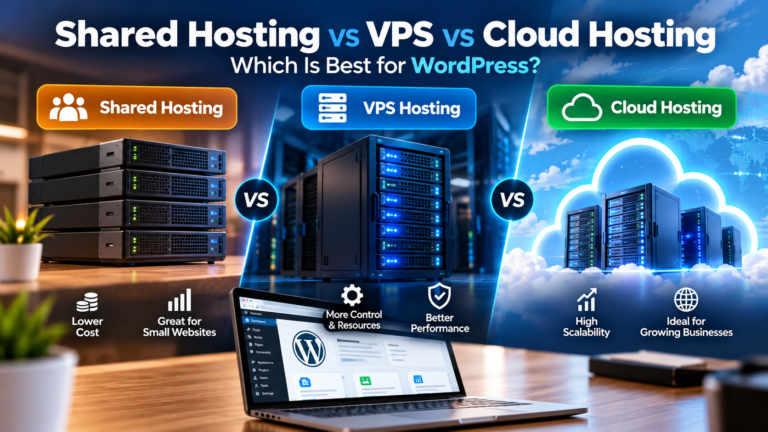
Shared Hosting
Shared hosting places multiple websites on the same server and shares server resources between them.
Its main advantage is affordability, making it suitable for smaller websites with relatively low traffic.
However, resource contention can become a problem when other websites on the same server consume significant CPU, memory, or database resources.
Best suited for: Small blogs, personal websites, basic business websites, and new websites.
Managed WordPress Hosting
Managed WordPress hosting is specifically designed for WordPress websites. The provider may handle tasks such as updates, backups, caching, security monitoring, and server optimization.
This can be an excellent choice for businesses that want WordPress expertise without managing the underlying server themselves.
Best suited for: Businesses, professional websites, agencies, publishers, and users who want reduced server administration.
VPS Hosting
A Virtual Private Server provides a more isolated environment with dedicated virtualized resources.
VPS hosting offers greater control and scalability than traditional shared hosting, although it generally requires more technical knowledge.
Best suited for: Growing websites, developers, agencies, high-traffic websites, and businesses requiring greater server control.
Cloud Hosting
Cloud hosting uses distributed infrastructure rather than relying on a single physical server.
Depending on the architecture, cloud environments can provide significant scalability and flexibility.
Cloud hosting can be particularly useful for websites experiencing unpredictable traffic or businesses requiring scalable infrastructure.
Best suited for: Growing businesses, high-traffic websites, applications, eCommerce websites, and organizations requiring scalable infrastructure.
Dedicated Servers
A dedicated server provides an entire physical server for one customer.
This offers extensive control and resources but is usually more expensive and requires greater technical expertise.
Best suited for: Large websites, high-traffic platforms, enterprise applications, and organizations with specialized infrastructure requirements.
Managed Hosting vs. Self-Managed Hosting
One of the most important decisions is determining how much server administration you want to handle yourself.
With managed hosting, the provider typically handles many infrastructure-related tasks. With self-managed hosting, you have greater control but are responsible for configuring, securing, monitoring, and maintaining the server.
| Feature | Managed Hosting | Self-Managed Hosting |
|---|---|---|
| Server control | Lower | Higher |
| Technical knowledge | Lower requirement | Higher requirement |
| Maintenance | Provider-assisted | Owner-managed |
| Customization | Usually limited | Extensive |
| Scalability | Depends on provider | Highly configurable |
WordPress Hosting and Website Speed
Hosting is one part of a much larger website performance strategy.
Even an excellent server cannot compensate for a website containing enormous images, excessive plugins, inefficient JavaScript, poorly optimized databases, or badly configured caching.
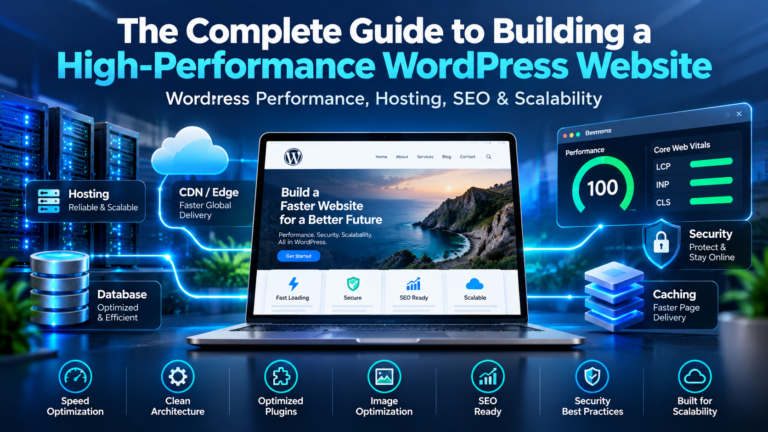
For this reason, website speed should be approached as a complete system involving:
- Hosting infrastructure
- Server configuration
- WordPress configuration
- Theme performance
- Plugin efficiency
- Image optimization
- Caching
- Content Delivery Networks (CDNs)
- Database optimization
- Front-end optimization
The best hosting environment provides a strong foundation, but the entire website still needs to be optimized.
WordPress Hosting and Core Web Vitals
Core Web Vitals measure important aspects of real-world user experience, including loading performance, responsiveness, and visual stability.
- Largest Contentful Paint (LCP) – measures loading performance.
- Interaction to Next Paint (INP) – measures responsiveness to user interactions.
- Cumulative Layout Shift (CLS) – measures visual stability.
Hosting can influence these metrics, particularly when slow server response times delay the beginning of page rendering or when inadequate resources cause processing delays.
However, Core Web Vitals should always be evaluated alongside front-end factors such as images, scripts, fonts, CSS, and page structure.
Security Features to Look For
Security should be a major consideration when selecting WordPress hosting.
At a minimum, look for hosting that supports:
- Free or easily managed SSL certificates
- Automated backups
- Server-level security
- Firewall protection
- Malware detection or monitoring
- DDoS protection
- Secure account authentication
- Regular server updates
Remember that hosting security is only one layer of WordPress security. Your WordPress installation, plugins, themes, administrator accounts, and website configuration must also be secured.
Backups Are Essential
A hosting provider should make it easy to create and restore backups.
A good backup strategy should ideally include multiple recovery points rather than relying on a single backup.
For important business websites, consider maintaining backups independently from your primary hosting environment so that a server failure or security incident does not affect both the live website and its only backup.
Scalability: Plan for Growth
Your hosting requirements today may not be the same six months or two years from now.
A small website may initially operate comfortably on shared hosting but eventually require additional CPU, memory, database capacity, or a more scalable architecture.
Before choosing a provider, ask:
- Can the server resources be upgraded?
- Can the website be migrated to a larger server?
- Can additional CPU and memory be added?
- Does the provider support cloud infrastructure?
- Can traffic spikes be handled?
- Can the database be separated from the web server?
Choosing a hosting environment that can grow with your website can prevent expensive migrations later.
Does Hosting Location Matter?
Yes. The physical location of your server can affect network latency between the server and your visitors.
If most of your customers are located in Australia, for example, choosing infrastructure located closer to your primary audience can reduce network latency.
For websites serving international audiences, a Content Delivery Network can help distribute static resources closer to visitors around the world.
What About a CDN?
A Content Delivery Network, or CDN, stores and delivers cached website resources from locations distributed around the world.
A CDN can help deliver:
- Images
- CSS files
- JavaScript files
- Fonts
- Other static resources
A CDN does not replace good hosting. Instead, it works alongside your hosting infrastructure to improve content delivery and reduce latency for geographically distributed visitors.
How Much Should You Spend on WordPress Hosting?
There is no single hosting price that is appropriate for every WordPress website.
A personal blog may require very little infrastructure, while a busy eCommerce website or business platform may require significantly more resources.
Instead of choosing hosting based solely on price, consider the potential business cost of poor performance.
If your website generates leads or sales, saving a small amount on hosting may not be worthwhile if it results in slow performance, downtime, security problems, or lost customers.
Common WordPress Hosting Mistakes
Choosing Only Based on Price
The cheapest hosting package may not provide the resources or performance your website actually needs.
Ignoring Server Resources
CPU, memory, PHP workers, database performance, and storage all affect how your website performs.
Using Too Many Websites on One Account
Hosting multiple high-resource websites in the same environment can create resource contention and make troubleshooting more difficult.
Ignoring Backups
A website without reliable backups can become extremely difficult to recover after a serious failure or security incident.
Never Monitoring Performance
Website performance should be monitored continuously rather than tested only when a website appears slow.
How to Choose the Right Hosting for Your Website
Start by identifying your website’s actual requirements.
- Estimate your current and expected traffic.
- Determine whether your website is primarily static or dynamic.
- Identify resource-intensive plugins or applications.
- Consider whether you need WooCommerce or other database-heavy functionality.
- Determine your technical expertise.
- Consider your security requirements.
- Evaluate backup and recovery options.
- Check upgrade and scaling options.
- Consider your primary audience locations.
- Compare actual performance rather than marketing claims.
WordPress Hosting Checklist
- ✓ Modern server infrastructure
- ✓ SSD or NVMe storage
- ✓ Adequate CPU resources
- ✓ Adequate RAM
- ✓ Current PHP versions
- ✓ Reliable database performance
- ✓ SSL support
- ✓ Automated backups
- ✓ Security monitoring
- ✓ CDN compatibility
- ✓ Server-side caching options
- ✓ Scalable resources
- ✓ Reliable technical support
Frequently Asked Questions
What is the best hosting for WordPress?
There is no universally best WordPress hosting provider. The right choice depends on your website’s traffic, functionality, technical requirements, budget, and expected growth.
Is shared hosting good enough for WordPress?
Shared hosting can be sufficient for small websites with modest traffic. However, growing business websites may eventually benefit from managed WordPress hosting, VPS hosting, or cloud infrastructure.
Does better hosting make WordPress faster?
Yes, better hosting can improve server response times and provide more CPU, memory, storage, and database resources. However, hosting is only one component of overall WordPress performance.
Should I use VPS hosting for WordPress?
A VPS can be a good choice for websites that need more resources and control than shared hosting provides. It is particularly useful when you have the technical knowledge required to configure and maintain the server.
Does hosting affect SEO?
Hosting can indirectly affect SEO through website speed, uptime, server reliability, security, and user experience. A reliable hosting environment provides a stronger technical foundation for SEO.
Should I use a CDN with WordPress hosting?
A CDN can be particularly useful for websites with visitors distributed across different geographic regions. It can reduce the distance that static resources need to travel to users.
Final Thoughts
Choosing the right WordPress hosting is one of the foundational decisions behind a successful website. Your hosting environment affects performance, security, reliability, scalability, and the overall experience visitors receive.
The best solution is not necessarily the most expensive server or the provider with the longest list of features. Instead, choose infrastructure that matches your website’s actual requirements and provides enough room for future growth.
For a small website, reliable shared or managed WordPress hosting may be sufficient. For a growing business, high-traffic website, eCommerce platform, or technically demanding WordPress installation, a VPS or cloud-based environment may provide the control and resources required.
Most importantly, remember that hosting is only the foundation. Website speed also depends on WordPress configuration, themes, plugins, images, caching, databases, code, and ongoing maintenance.
A well-chosen hosting environment combined with proper WordPress optimization can create a faster, more secure, and more reliable website that is better prepared for modern SEO, Core Web Vitals, and the increasingly important world of AI-powered search.